
Score Sheet
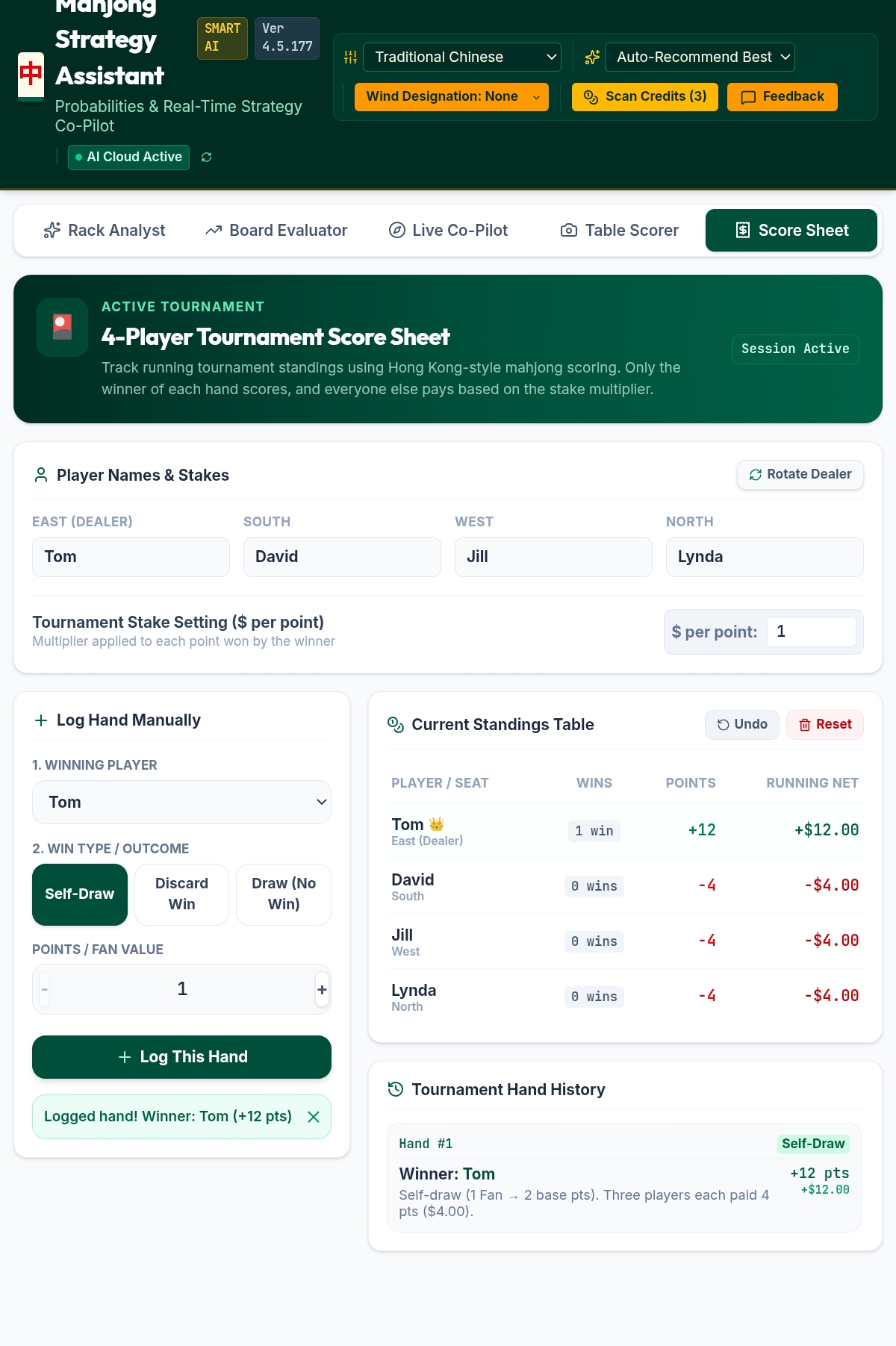
Track a full session across as many hands as you like — up to four players, running standings, and a complete hand-by-hand history, all using Hong Kong-style scoring where only the winner scores and everyone else pays.
Setting up a session
Enter player names
Fill in all four seats. The dealer seat is marked East and is highlighted separately, since dealer wins are usually worth more.
Set your stake
Enter the dollar value per point — this is the multiplier used to convert each hand's point value into an actual payout.
Log each hand as it finishes
Pick the winning player, the win type — Self-Draw, Discard Win, or a no-score Draw — and the hand's point/fan value, then tap Log This Hand.
Rotate the dealer
Tap Rotate Dealer between hands to move the East seat around the table, exactly as you would at a physical table.
Reading the standings
The Current Standings Table shows total wins, points, and running net dollar value for every player, updating the instant a hand is logged. Tournament Hand History below it keeps a full record of every hand played, in case you need to check back on how a result was reached.
Tracking a full game: Tonpuusen or Hanchan
Next to the dealer controls, choose Tonpuusen (East round only) or Hanchan (East, then South) to match the length of game you're actually playing. Once set, Score Sheet tracks round wind for you as the deal genuinely rotates — a dealer repeat never counts as progress, exactly like at a real table, so the round only advances after a real change of dealer.
Round Wind is shared across the whole app, so once Score Sheet advances it from East to South, Rack Analyst, Board Evaluator, and Live Co-Pilot all pick up the change immediately — no need to set it twice.
When the game is complete — East round finishes for Tonpuusen, or East and South both finish for Hanchan — a quiet banner appears confirming it, with a Dismiss option if you'd rather keep playing past the standard length.
For a full walkthrough of what Round Wind actually changes about your score, see the Riichi Setup Guide.
Use Undo to remove the most recent entry, or Reset to clear the whole session and start over.