
Board Evaluator
The same strategic engine as Rack Analyst, but with one important difference: it also knows what's already been thrown away. That changes which tiles are actually still worth waiting for.
How to use it
Add your rack
Make sure Player Rack is selected under "Clicking adds to," then scan or manually add your own tiles as normal.
Switch to Board Discards
Tap Board Discards to change what the Tile Drawer Keyboard adds to — anything you tap now goes into the shared discard pile, not your own rack.
Scan the discard area, or add tiles by hand
Use Discard Area Scan to photograph the whole pile at once — it reads tiles at any angle or orientation, even scattered. Or add tiles individually with the Manual Add buttons if you'd rather not use a photo.
Review what was identified
Check the list under "Identified in Discard Area" against the table. Remove anything misread with Clear All and re-scan if needed.
Analyze Hand as usual
The recommendation now factors in which tiles are already out of play — a hand that needs four copies of a tile you've seen discarded gets ranked lower automatically.
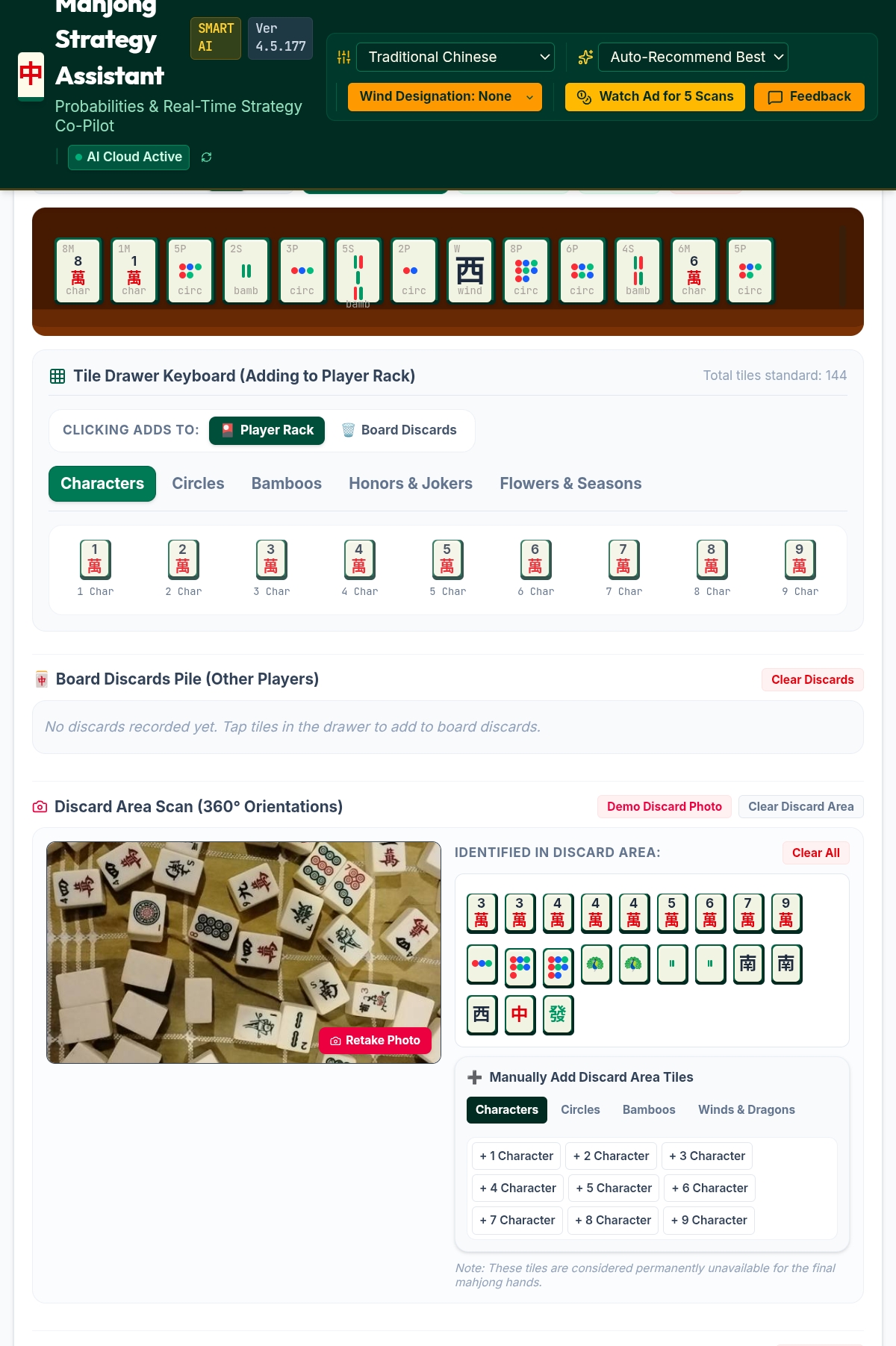
Tiles marked in the discard area are treated as permanently unavailable for the rest of the hand. The fewer copies of a tile left in play, the less the app will steer you toward a hand that depends on drawing it.
On rulesets where wind affects scoring, a small Seat: … / Round: … badge appears near the top of this panel, confirming exactly what context is feeding the recommendation below. See the Riichi Setup Guide for how seat and round wind actually change the score.